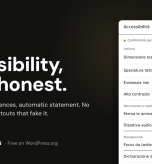
Threshold is free, open source, and now available in the official WordPress plugin directory. But the point is not that DSGN published a plugin. The point is that we published one that refuses to lie.
The accessibility tools market is crowded with shortcuts. Search for “WordPress accessibility” and you will find dozens of solutions promising the same thing: paste one line of code, and your website becomes compliant. A badge, a floating button in the bottom-right corner, and the promise that the problem is solved.
It is not solved. It is hidden.
Those solutions are called overlays: software layers placed on top of a website, trying to fix accessibility from the outside, in real time, inside the visitor’s browser. On paper, it sounds like magic. In practice, overlays have become one of the most criticized shortcuts among people who actually work in accessibility and, increasingly, they appear inside legal claims, not as protection from them.
We chose the opposite direction. And it is worth explaining why, because the choice says much more than the product itself.
The law is no longer a hypothesis
Since 28 June 2025, the European Accessibility Act, Directive 2019/882, has applied across all 27 EU Member States. It does not only affect public administration. It affects e-commerce, banking, transport, telecommunications, and digital services. In practice, almost any business selling online to European consumers may be involved, regardless of where the company is based.
The only exemption applies to micro-enterprises with fewer than 10 employees and less than €2 million in annual turnover. A narrow threshold, and one that many companies exceed very quickly.
Throughout 2025, national authorities started building their enforcement frameworks. In 2026, the machine began to move. In France, a court ordered Carrefour to make its e-commerce website and app fully accessible within six months, with penalties for every day of delay. In the Netherlands, the Authority for Consumers and Markets started checks on e-commerce operators. In Germany, private warnings and claims have begun to emerge under unfair competition rules. In Italy, supervision for private-sector digital services falls under AgID.
So the question for anyone managing a website is no longer: “Do I need to deal with accessibility?” The question is: “How do I deal with it without increasing my risk instead of reducing it?”
Why overlays are the risk, not the solution
This is where overlays fail. An overlay gives you a reassuring number “compliant!” that does not survive a serious audit. Worse: many tools automatically generate a full compliance statement.
Declaring that a website is “fully compliant” when it is not does not protect you. It creates a false statement in writing. Exactly the kind of thing an authority, a lawyer, or an accessibility auditor will look for first.
Real accessibility cannot be fixed from the outside with one click. An automated check, any automated check, including ours, can only verify part of the WCAG criteria. Missing alternative text, form labels, contrast issues, page language: yes. But reading order, keyboard navigation, the semantic quality of alternative text, the actual experience of a screen reader user: no.
That can only be tested by a person. Most tools hide this sentence because it breaks the promise of the one-click solution. Threshold puts it at the center.
Honesty is the product
Threshold does three things, and it does them properly.
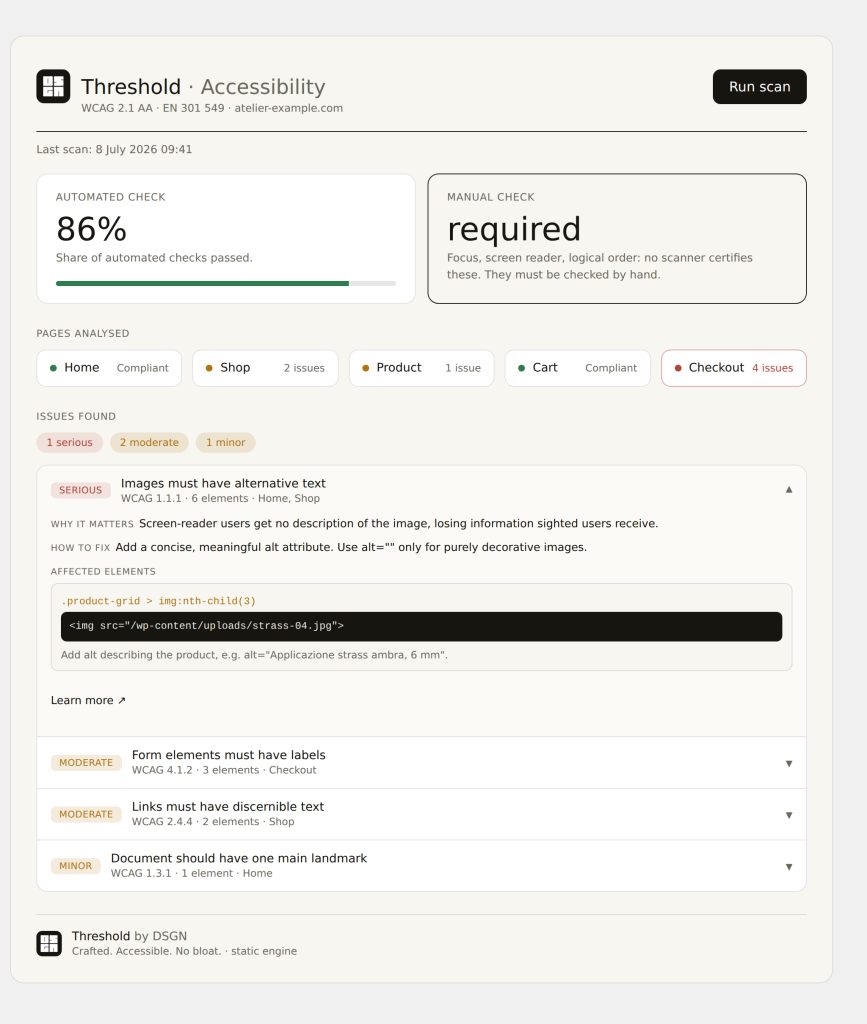
It audits clearly. A server-side scan or, if preferred, an in-browser scan powered by axe-core lists unmet WCAG 2.1 AA criteria page by page. For every issue, Threshold explains what is wrong, why it matters, how to fix it, and where it appears. The dashboard shows the real accessibility level, not an inflated score. And next to it, in plain language, it says: “manual verification required.” Because that part always exists. Pretending it does not is dishonest.
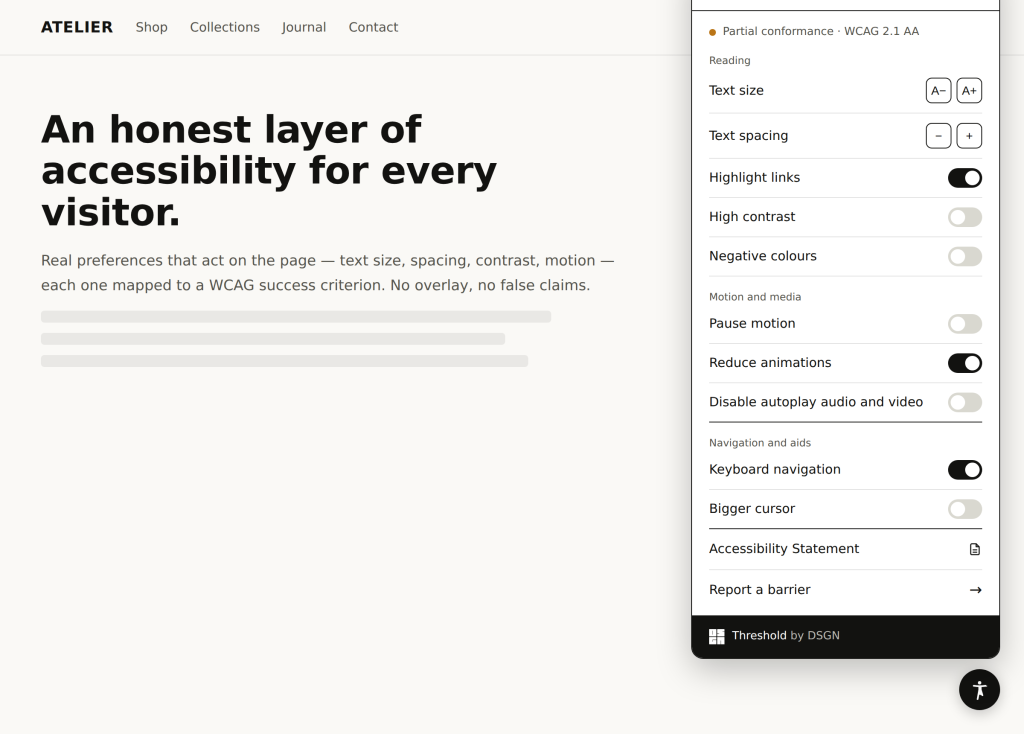
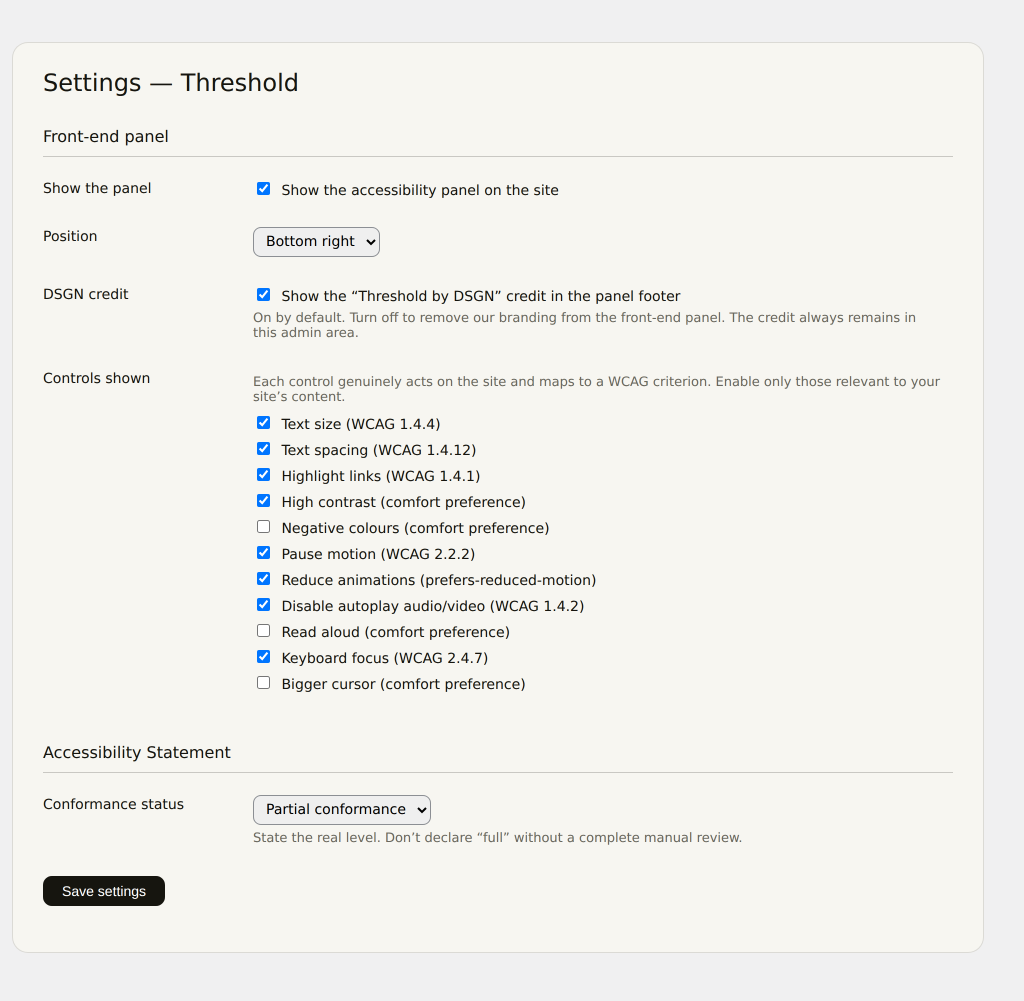
It offers real preferences. The visitor panel allows users to adjust text size and spacing, contrast, link highlighting, animation reduction, keyboard focus, cursor size, and more. The difference from an overlay is substantial: these preferences actually modify the page at its foundation, and each option is mapped to a specific WCAG criterion. It is not a layer pretending to solve the problem. It is control returned to the person using the website.
It generates the document you actually need. Threshold automatically creates an Accessibility Statement, including a feedback mechanism for reporting barriers. For e-commerce websites, these are explicit requirements under the European Accessibility Act: a public accessibility statement and a channel for users to report accessibility issues. Ready to use. And, in practice, exactly the kind of thing most overlays never truly provide.
There is also a part that is less visible, but just as important to us. Threshold does not contact any external service. It does not load third-party fonts, it does not collect data, and it does not use AI to “guess” fixes on your behalf. Everything happens on your server and inside the visitor’s browser. It is software that does exactly what it says and nothing more.
Why it is free
Threshold is open source, GPL-licensed, and free on the official WordPress plugin directory. It is not a limited version with a hidden upsell. It is the complete tool for building a basic accessibility compliance foundation.
We published it this way for a specific reason, and it is the same idea that guides the way we design digital products. Basic compliance should be a threshold every website can cross, not a premium feature sold at a high price.
Our idea of interface design starts with people, not checkboxes. No automatic systems deciding for users. No black boxes. No shortcuts that move risk onto the people who install them. Only clear tools that give control back to the person reading, navigating, buying, booking, or interacting.
That is care before it is compliance.
We remain available for those who want to go beyond the baseline: a complete accessibility audit, with the manual verification no scanner can perform, and remediation carried out by real people. But that is a service. It should be a choice. Not a mandatory toll just to put the minimum in order.
Who built it
DSGN is a digital studio founded in 2013, designing enterprise-level WordPress and WooCommerce platforms by combining software engineering and creative production. DSGN is ISO 9001 certified by Scandinavian Certification.
Threshold comes from the same work we do every day when building and maintaining complex e-commerce platforms. We know where accessibility breaks in the real world because we meet those issues inside real code, not inside presentations.
You can install it in two minutes from the WordPress plugin directory. It is free, it requires no account, and there is no overlay.
→ Install Threshold on WordPress.org
If you manage an e-commerce website affected by the EAA and want a serious accessibility review, the part software alone cannot cover, write to commerciale@dsgngroup.it.